Try Fusion with $5 in free credits
FUMO / Fusion Model

FUSION
MODEL

One fusion, the strengths of many.

The strengths of multiple models for office work, web development, and complex agent tasks, through one model API.

Latest release

FUMO Lab

Fusion Max 2.0

Stronger fusion. Lower task costs.

Explore the release

Surpass leading models at 1/6 the cost

Evaluation results

USD / AVERAGE TIME: MIN / —: NOT PROVIDED

Cost is the total cost of all tasks in each evaluation (USD). Average time is measured in minutes per task.

Terminal tasksNEW

Terminal Bench 4.0*

ModelScoreTotal costAvg. time
Max 2.058.73%$38274.26
GPT-6 Astra57.46%$55441.65
Fable 5.157.14%$1,12559.6
Software development and optimization, data processing, and scientific computing in a terminal.
Professional document tasksNEW

GDP.pdf

ModelScoreTotal costAvg. time
Max 2.037.0%$383.9
GPT-6 Astra31.0%$2083.2
Fable 5.126.2%$2773.2
Evidence-based reasoning over professional PDFs, including manuals, contracts, reports, and technical drawings.
Office document question answeringNEW

OfficeQA Pro

ModelScoreTotal costAvg. time
Max 2.070.7%$54.073.8
GPT-6 Astra69.9%$98.51.8
Fable 5.162.4%$1,129.54.1
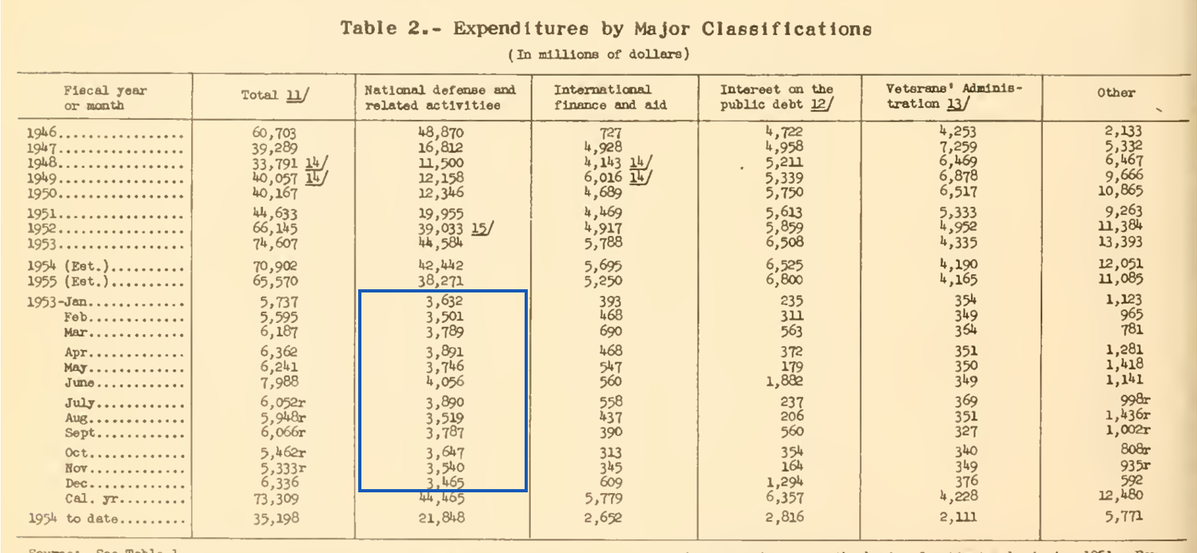
Cross-document retrieval, table verification, and numerical reasoning over U.S. Treasury Bulletins.
Deep reasoning

GPQA Diamond

ModelScoreTotal costAvg. time
Max 2.095.5%$4.50.5
Max 1.094.9%$131
GPT-6 Astra96.1%$140.6
Fable 5.193.7%$270.6
+0.6 pp · −65.4% cost vs Max 1.0
Terminal tasks

Terminal Bench v2.1

ModelScoreTotal costAvg. time
Max 2.089.5%$389
Max 1.086.5%$7415
GPT-6 Astra88.4%$1075
Fable 5.191.4%$3699.3
+3.0 pp · −48.6% cost vs Max 1.0
Science question answering

XBench ScienceQA

ModelScoreTotal costAvg. time
Max 2.079.0%$2.10.4
Max 1.078.4%$3.850.6
GPT-6 Astra74.6%—1.4
Fable 5.174.6%—0.23
+0.6 pp · −45.5% cost vs Max 1.0

* Terminal Bench 4.0 uses the 63-task CPU-only subset. Baselines: GPT-6 Astra (max), Claude Fable 5.1 (max with fallback).

TERMINAL BENCH 4.0

Scores and costs across more models

↖ Upper left is better: higher scores at lower cost.

Fusion modelsOther modelsPareto frontier
Terminal Bench 4.0* scores, evaluation costs, and Pareto frontier↑ Score (%)010203040506070$10$20$50$100$200$500$1k$2kEvaluation cost (USD, log scale) →Fusion Max 2.0GPT-6 AstraClaude Fable 5.1Opus 5.5Sonnet 5.5Opus 5Fable 5Opus 4.8Gemini 3.8 FlashGPT-6 LunaGemini 3.7 FlashFusion Max 2.0GPT-6 AstraClaude Fable 5.1Opus 5.5Sonnet 5.5Opus 5Fable 5Opus 4.8Gemini 3.8 FlashGPT-6 LunaGemini 3.7 Flash

The dashed line traces the Pareto frontier: the best scores at different costs.

Products

Pick the model for the work you need done.

High-performance models for cost-efficient AI workflows.

Fusion Max

High-performance coding, agents, and document analysis, built for cost efficiency.

Web developmentText analysisOffice tasks
1MContext window
128KMaximum output
Standard / 1M tokens$3 input · $20 outputLong-context rates apply above 200K tokens. Internal collaboration tokens are not billed.
Start using Fusion →Full pricing →

Fusion Code

Cost-efficient coding for software agents.

ImplementationDebuggingTerminal tasks
512KContext window
128KMaximum output
Standard / 1M tokens$2 input · $6 outputLong-context rates apply above 200K tokens. Internal collaboration tokens are not billed.
Start using Fusion →Full pricing →

FAQ

How do I start using Fusion?

Individual developers and enterprise teams can sign up on the self-service platform, try a model in the Playground, or create an API key to connect their own applications and agents.

Get started →
Should I choose Fusion Max or Fusion Code?

Fusion Max 2.0 is designed for demanding general-purpose tasks, including office documents, web development, and multi-turn agent work. Fusion Code 1.0 focuses on software development, debugging, and terminal tasks for cost-conscious coding workflows. Compare output quality and total cost on your own tasks.

Compare model specifications →
How does Fusion fit into my existing application or agent?

Fusion provides OpenAI-compatible Chat Completions and Responses APIs. Follow the integration documentation to configure the API endpoint, model ID, and key in a supported client. Your application or agent provides file access, browser actions, and tool execution.

Read the API and integration docs →
How is usage billed when multiple models participate?

Usage is billed at the selected Fusion model’s input, cached-input, and output rates. Internal model-collaboration tokens are not billed. A task’s cost depends on its calls and token usage; long-context rates apply when input exceeds 200K tokens. Prices have been updated across Max and Code.

See full pricing →
How does Fusion combine different models’ capabilities?

Our routing model draws on model-capability knowledge accumulated through extensive benchmarking to choose a suitable model at each step, based on the current task context. At critical steps, Fusion brings in multiple models to analyze and solve the problem from different perspectives, then synthesizes their conclusions.

Explore how fusion works →
Isn’t this just model routing?

No. Conventional routing usually selects one model at the request boundary. Fusion can decide during the task which models participate, what role each model takes, and where to spend compute on candidate paths, disagreement review, and critical verification. It still returns one unified result.

Read the whitepaper →
How fast is Fusion?

Time depends on the task, reasoning effort, and execution path. Across the three evaluations with Max 1.0 results, Max 2.0 reduces time per task by 33.3%–50.0%. Speed and quality tradeoffs against other models vary by task. Review the full results and test your own workflow.

Compare scores, costs, and time →
Where can enterprises discuss data and deployment requirements?

Start with our privacy policy. For data retention, regions, upstream models, dedicated resources, or SLAs, contact the team to confirm options against your business requirements.

Contact the team →
About FUMO Lab

Exploring what fusion models can do.

FUMO Lab is a frontier AI lab based in Singapore.

We research how to fuse the capabilities of different models, bringing their distinct approaches and strengths to complex tasks.

Get started

Put Fusion to work on your next task.

Sign up, get an API key, and connect a fusion model to your existing tools and workflows. You can also try it in the Playground first.